

The records of your catches with precise locations are only available to you. For more information on synchronising catches with the overall database, please read the section on catch synchronisation.
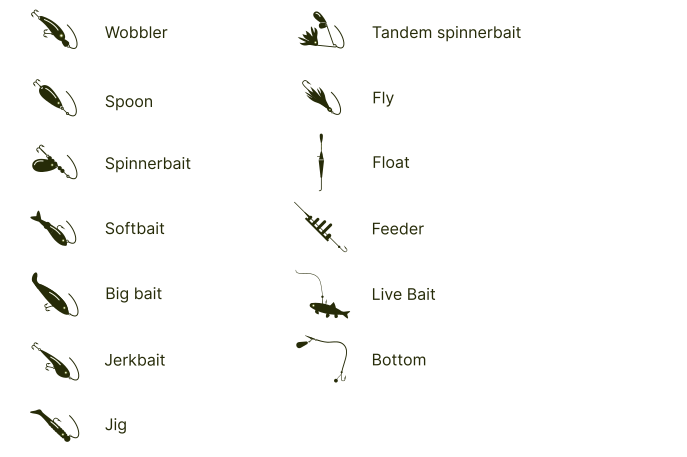
To ensure that the journal entries provide even better results for your future fishing trips, you have the option to create your own lure database. This can be done in Settings > List of my lures. First, select the appropriate lure category in the lure list section and then press the “Add new lure” button. The application will initially offer you the option to photograph your lure and then add the specific name for it. Please ensure that you confirm the information after entering it, so that the lure is saved in your database.
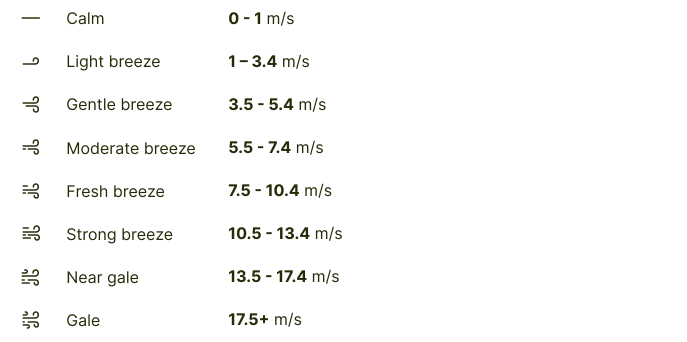
When adding a new catch, you can choose to photograph the fish or use an existing image from your photo archive, or you may opt to add the catch without a photograph. Next, you will need to complete the mandatory fields, which include the fish species (default is pike), fish weight or length, and the lure used (default is a wobbler). Additional sections, such as description, depth, and water temperature, are optional. The default fish count is set to 1, but you have the option to report multiple fish with an average size. You can also specify the location (make sure to press the “Save” button after making changes), select one of your lures, and adjust weather parameters if they differ from the automatically generated conditions. To save the catch in the journal, remember to click the “Add the catch” button after entering your data.
Fish weight: limits from 0.05kg to 100kg
Fish length: limits from 10cm to 300cm
Depth: from 0.2m to 60m
Water temperature: from 0˚C to +30˚C
Number of fish: from 1 to 99
Atmospheric pressure: from 970hPa to 1050hPa
In the app, it’s important to record not only the times when a catch is made but also situations where nothing was caught. This information helps to better process the data and provide users with a more accutare understanding of the best fishing conditions and baits for future trips. To add an entry without a catch, press and hold the "Add a catch" button for a bit longer, and an additional option to "Add without a catch" will appear on the screen. Clicking on this will bring up a window similar to the one for adding a catch, but with more limited information input. Afterwards, the entry without a catch will also appear in your journal.
